In the lab · coming soon

A GAIN knob that turns the amp up

A capture is a snapshot of one setting. Turn a plugin's gain knob afterwards and you are mostly turning up a frozen tone. So we built a NAM 9000 profile format that sits on top of multiple captures of the same amp, taken right across its gain control. It arrives in your library as one amp with one extra knob — turn GAIN and you move through the amp's own gain staging, not a volume control in front of a fixed tone.

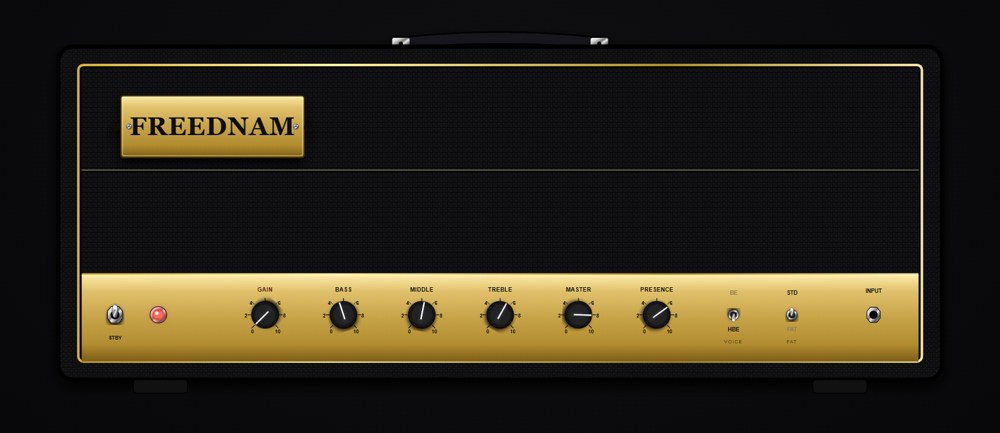
The NAM 9000 amp head with the gold dynamic GAIN knob first in the control row

One amp, one knob

The whole set loads as a single profile — one row in the browser, marked with a GAIN badge. Turn it and you hear the bloom, the sag, the way the low end firms up and the mids shift as the amp digs in. Sweeps like this are normally the preserve of paid modelling suites; here they are captures, in an open format.

  • Captures are time-aligned to each other at load, so the crossfade doesn't comb
  • Loudness matched per frequency band across the whole sweep
  • Opens at the setting nearest half travel — every amp starts played-in
  • At launch, the GAIN knob comes to the hero amps — the rest of the catalog stays as it is

Dial it in, then bake it

Found the spot? Export exactly that — the tone as you have it dialed, gain position and all — as a brand new .nam profile. It lands in your library like any other capture, and it runs anywhere a .nam runs: back in NAM 9000, or loaded onto a NAM hardware pedal.

  • The export is one ordinary .nam file — no sweep set, no dependency on the pack
  • Runs on Dimehead, HoTone, Darkglass and the other NAM-compatible units
  • Export to .nam is a NAM 9000 Pro feature — playing the sweeps is not

The method

Why the captures sit where they sit

Spacing them evenly across the knob would be the easy way, and it would be wrong — no amp changes evenly. Before a single capture is taken, we measure the amp and put the captures where it actually moves.

1 — Measure

A 17-point scan of the gain control records output level, spectral tilt, and how far the waveform itself has drifted from the step before it. That curve is the amp's real taper, not the markings on the panel.

2 — Place

Captures are then spaced evenly along that measured curve, so they bunch where the amp changes fast and spread where it barely moves. A blackface-style combo put 6 of its 9 captures in the bottom 12% of the knob. A 50W plexi-style head clustered five between 38% and 54%, right where it starts to break up. A modern high-gain head spread almost evenly.

3 — Verify

Deep in saturation an amp can hold level and tone steady while the harmonic texture keeps churning: the level curve looks flat, but a crossfade through it hollows out. We measure that drift directly and keep adding captures until every neighbouring pair blends cleanly.

Also in the next update

Two more pedals on the board — free

The board grows to ten pedal types, eight of them live at once, and both newcomers are free tier like the rest.

  • BOOST — clean or treble boost: 0–20 dB with a RANGE control sweeping from a full-range lift to treble only. Deliberately clean, and it comes along when Pro bakes a rig back into a .nam
  • WAH — a 350–2200 Hz band-pass with SENS and Q, as an auto-wah off your picking or as a pedal driven by host automation
  • Drag a pedal by its chassis to reorder the board while you play
  • The noise gate now learns your rig's own noise floor and sets its threshold from it
NAM 9000 pedalboard showing the TS9, the new WAH, the NAM capture pedal and the new gold BOOST pedal
Coming soon

Want it the day it lands?

The plugin is free, and every update arrives in the app itself. Grab it now and the GAIN knob turns up in an update.

Download NAM 9000 free