Five house amps, included in Pro, and Looper MK II
1.20.0 adds the five NAM 9000 house amps: our own heads, three channels each, and they come with NAM 9000 Pro. Plus a bigger looper and presets for every effect.
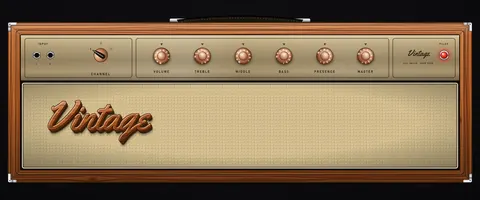
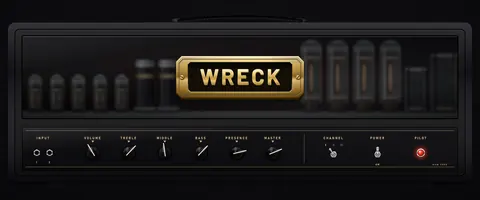
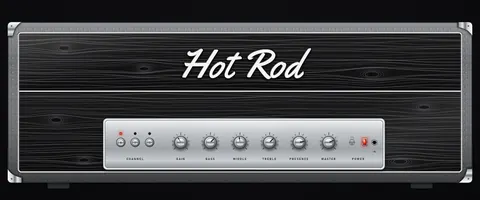
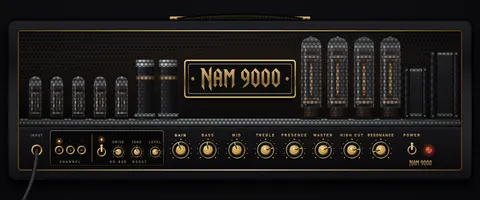
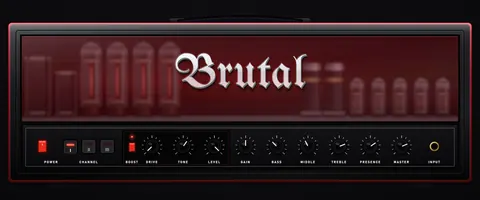
- The NAM 9000 house amps (Pro) — Vintage, Wreck, Hot Rod, Modern and Brutal: our own heads, three channels each (I, II, III), every channel swept across its full gain range, from glassy clean to modern high gain. Modern and Brutal carry a built-in BOOST. Full rig and DI (Brutal ships as full rig for now), with 17 ready-made presets. Free users can audition them; the NAM 9000 Pro key unlocks all five, no code to redeem.
- NAM LOOPER MK II (free) — undo and redo the last overdub; BARS sets the loop length to the tempo and stops the recording on the bar; TRIGGER starts recording with your first note; STOP, with a long press to clear; and a CLICK.
- Effect presets — factory sounds for every effect unit and for the whole effects page in one click, and your own sounds saved as MY SOUNDS.
- The AMPS view — profiles and presets in one place, every profile under the amp it belongs to, as a list or a grid of faceplates with a FULL / DI switch on each head; right-click an amp for every preset that uses it or LOAD STOCK; an AMP PRESETS dropdown in the top bar for the amp that is playing.
- Stereo rack TREMOLO / PHASER rebuilt (Pro) — the twin phaser runs the PHASER stomp's JFET circuit, the tremolo's COLOR is the brown-panel harmonic vibrato, and a new WAVE switch picks sine, triangle or square.
- A longer rack preview — the free version can now hear the Pro stereo rack for three minutes per session (it was one).
- Also — GAIN SNAP (right-click a swept GAIN knob to snap it to the captured steps); a UI SIZE slider you can set precisely; bigger EQ and multiband readouts.
A change to the Pro offer: Pro now includes the five house amps instead of a code for one amp of your choice. Codes already issued, used or not, keep working. Presets that use the rack TREMOLO / PHASER will sound different, because it runs the new circuits. Your licences, packs and saved sessions carry over unchanged.
NAM-9000-Setup-1.20.0-free.exe · 150.6 MB
SHA256: 60e56b09c9c7eb2a662f4fe53dd4b87903827550ce0926aff787d9df5b1b0125
NAM-9000-1.20.0-macOS-free.pkg · 349.3 MB
SHA256: 91f215a442d93f5af82f0073c3c0024ff339ed0d7ab7c7072ff8665cf355ecd6
The biggest effects upgrade yet, two new pedals, and the AC30-style head
1.19.0 rebuilds the effects: a new delay and reverb, the COMP and PHASER modelled on their original circuits, and two new free pedals. And a new head: the AC30-style.
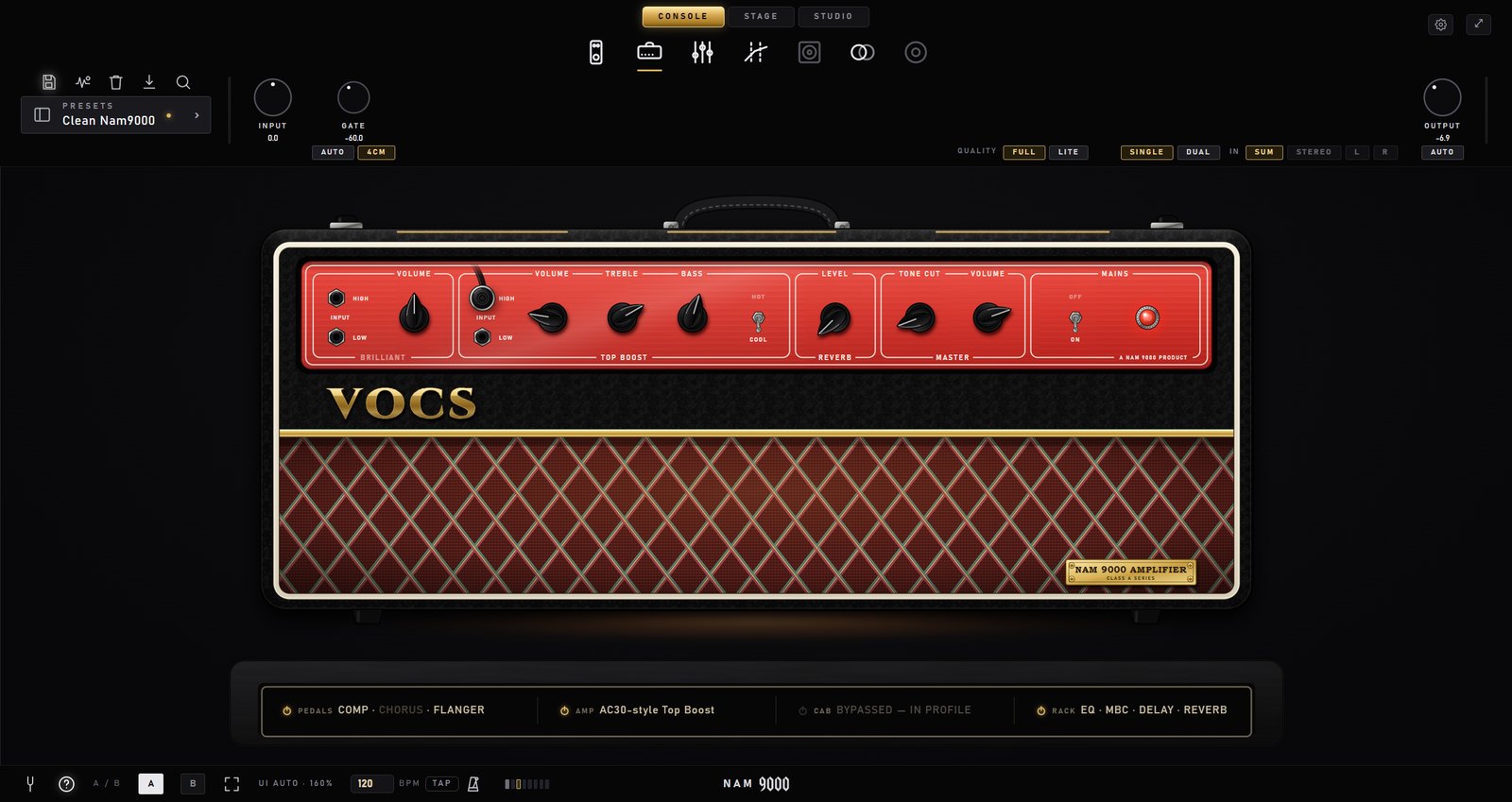
- AC30-style Multichannel — the British class-A combo of the sixties with Brilliant, Top Boost and Hot on one head and a real channel switch, each swept across the full gain range, with its spring reverb rebuilt from a real circuit. Full rig and DI in one purchase. €12, free to audition, and it can be the free amp that comes with Pro — also with a code you already have.
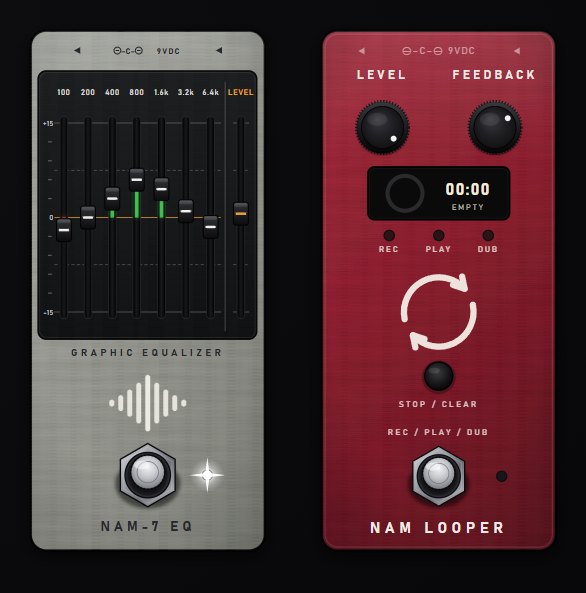
- NAM-7 EQ (free) — a seven-band graphic EQ pedal, 100 Hz to 6.4 kHz, ±15 dB per band plus LEVEL. The slots light green for a boost and red for a cut.
- NAM LOOPER (free) — a one-switch phrase looper that plays back after your whole rig, with LEVEL and FEEDBACK for overdubs. Record, stop and clear can be mapped to MIDI in the standalone.
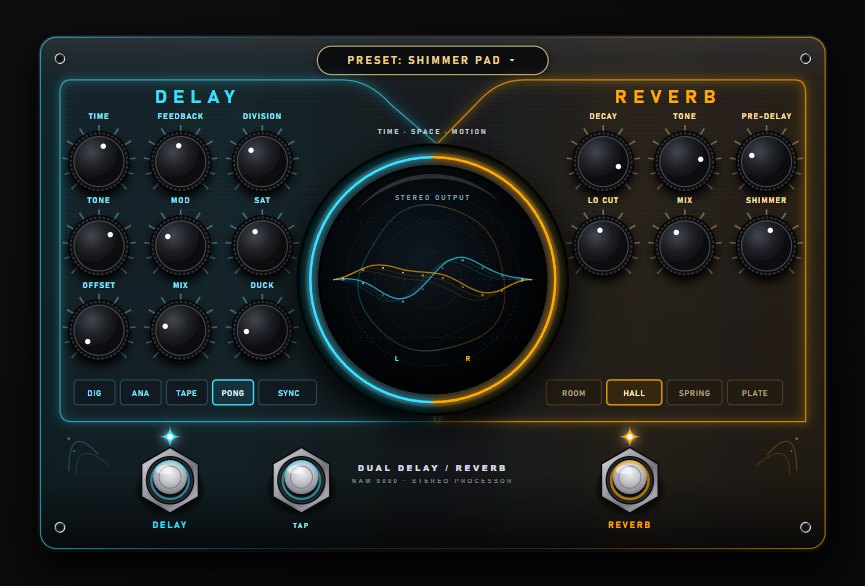
- A new delay and reverb — a new ROOM and HALL engine with dense tails and no metallic ring; a SPRING with the real rising drip; a new SHIMMER knob that turns any reverb into a rising pad; a DUCK knob that steps the repeats back while you play; ANALOG repeats that darken with longer times like a bucket-brigade delay; synced times up to 4 s; and 15 one-click sounds on the PRESETS button. Both cost nothing when switched off.
- COMP and PHASER, rebuilt — COMP is modelled on the Dyna Comp circuit, with the squish, the snap on the first pick after a pause and the classic attack mod on ATTACK. PHASER is modelled on the 1974 Phase 90: four JFET stages and its real sweep, with FDBK running from the original script voicing to the later block-logo one.
- PITCH — tighter drop-tuning: fewer glitches on chords and much faster attacks on fast riffs.
- MB COMP AUTO GAIN (Pro) — every band keeps its own level while it squeezes, so you hear the compression, not a volume change.
- Also — the standalone opens at the size, place and view you left it in; an easier-to-grab window edge; your own pedal profiles lead the pedal grid; the capture page keeps a Render Rig in progress and stops a silent recording before it trains.
Presets that use COMP, PHASER, ROOM/HALL or SPRING reverb, long ANALOG delays or the Lemon RV50's onboard reverb will sound different — levels and decay times are matched, the engines are new. Your licences, packs and saved sessions carry over unchanged.
NAM-9000-Setup-1.19.0-free.exe · 150.4 MB
SHA256: 7b776ddcbf8ea1becb68366e70a07ddf94bda461129859a876b7b250a436d7b9
NAM-9000-1.19.0-macOS-free.pkg · 348.6 MB
SHA256: 94e1a82efb39344a98ea382be3c3fc7d0a4948c25b7fa4d614c87bb429bd6343
Two new heads, the REVERB UNIT, and a grid for your presets
1.18.0 adds the Twin Reverb-style and D-Lux heads, the REVERB UNIT pedal for Pro, real-circuit reverb and tremolo on the Blackface Deluxe-style, and a grid view for your presets.
- Twin Reverb-style Multichannel — the big black-panel clean amp with Vibrato, Normal and the later Silverface voicing on one head and a real channel switch, each swept across the full gain range, with the amp's own spring reverb and tremolo rebuilt from the real circuit. Full rig and DI in one purchase. €12, free to audition.
- D-Lux — the brown-panel combo of the early sixties as a head: its one channel swept from a warm, round clean to thick, singing breakup, with its own bias tremolo. Full rig and DI in one purchase. €9, free to audition. Both new heads can be the free amp that comes with Pro.
- REVERB UNIT (Pro) — the 1961 standalone valve spring reverb as a pedal, with DWELL, MIXER and TONE. On the free version you can try it for 60 seconds per session.
- Blackface Deluxe-style — its reverb and tremolo are now rebuilt from the real circuit, and the REVERB knob follows the real taper, so existing presets sound different — closer to the amp. Owners also get the new DI half free.
- Presets grid — a GRID view with a card per preset showing the amp it plays, and small icons for the pedals and effects each preset uses, in the grid and in the list.
- Also — the VIBE pedal is rebuilt from the original circuit; the preset name always shows what is actually playing; a magnifier for precise knob moves; grid views for amps, pedals and cabs; and your own presets now remember their OUTPUT level.
Your licences, packs and saved sessions carry over unchanged.
NAM-9000-Setup-1.18.0-free.exe · 150.1 MB
SHA256: 2065ad410ebc4ba3cba9a0e6a057c31f5365a9bff458ee9841fb9d977d58e2e3
NAM-9000-1.18.0-macOS-free.pkg · 347.5 MB
SHA256: 0b014fe7b3083791a629aeac7eea8b7775f0a7b421f31eb4a159840fe9d95044
The update that hid the newest amps, fixed
1.17.1 fixes one real bug from 1.17.0 and refreshes the cabinet artwork. Nothing else changed.
- New store amps appear for everyone — on 1.17.0, updating from an earlier version could hide the new BritPlex 100 and BritPlex AFD heads in the browser if you had downloaded or auditioned store content before: the app's cached content index predated the new products and was never refreshed. From 1.17.1 the app refreshes that index by itself, so new releases always show up — within seconds of launch, no download needed. Fresh installs were never affected, and if you already applied the two-file fix from our mail, updating is still recommended and completely safe.
- Redrawn cabinet artwork — the cabinet graphics across the app have been redrawn to match each real cabinet. Visual only — nothing about the sound changed.
Same amps, same packs, same licences — saved sessions and presets are untouched.
NAM-9000-Setup-1.17.1-free.exe · 148.4 MB
SHA256: e06537a85f3e0f0409ebc2122552f73aaab810ac7182325dd03dace3cfb6bf16
NAM-9000-1.17.1-macOS-free.pkg · 342.2 MB
SHA256: c2e4ce734f8267ee38b55dcbda925523450b06c42f386b73bb3235eb1754bb92
Two British 100-watt heads, five fuzz pedals, and a rebuilt wah
1.17.0 adds the BritPlex 100 and the BritPlex AFD to the store, brings a five-pedal fuzz pack, and rebuilds the wah from the ground up.
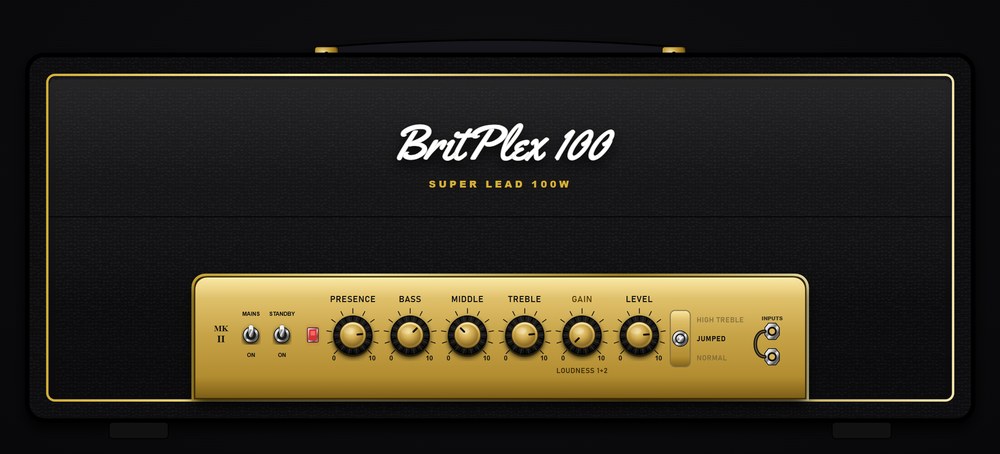
- BritPlex 100 Multichannel — the 100-watt plexi, whole: Jumped, High Treble and Normal on one head with a real channel switch, every channel swept across the full gain range. Full rig with its cab and again pre-speaker (DI) for your own IR — two browser rows, one key. €12, free to audition.
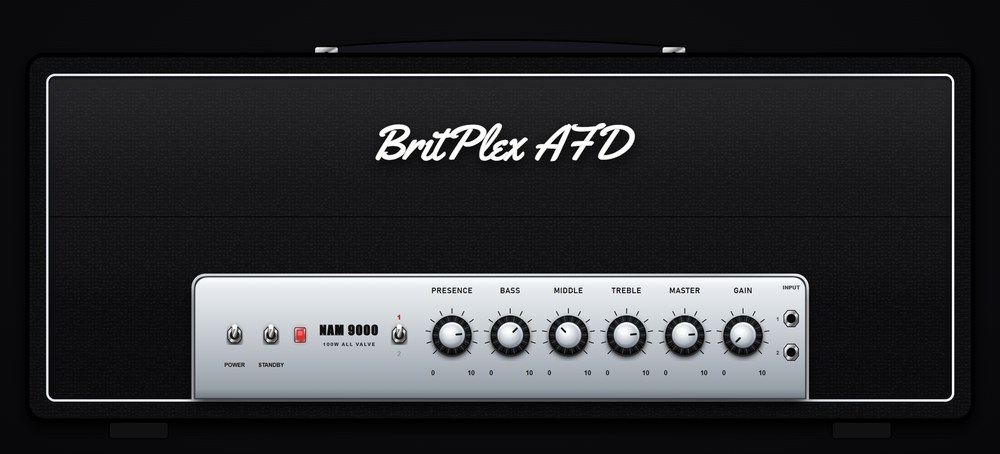
- BritPlex AFD Multichannel — the hot-rodded 100-watt that made the late-80s Sunset Strip sound, with both of its modes, 1 and 2, on one head and a real channel switch. Full rig and DI in one purchase. €12, free to audition.
- Fuzz pack — Woolly Ram, Green Wool and Triangle Wool (three generations of the wall-of-wool muff), Hyper Fuzz (the octave-tinged 60s fuzz) and Smile Fuzz (the germanium classic that cleans up from your guitar's volume). Each one is nine real captures behind a working knob, and each wears its own control names — SUSTAIN, FUZZ, BALANCE. €19 for all five or €9 each, free to audition.
- A rebuilt wah — AUTO now follows your playing at any level, so it sweeps in front of a drive as well as behind it. A four-way RANGE switch, a BOOST switch with its own VOLUME, and PEAK VOCAL, where the swept peak boosts the way the real circuit does. VOCAL is the new default, so a saved preset with the wah on gets louder at the peak — switch PEAK to FLAT for the old level-neutral sweep. On a stereo track, one wah now drives both lanes.
- TONE3000 downloads get one cab, not two — a download that already includes its cab now loads as a full rig, so NAM 9000 no longer stacks its own cab on top. Downloads you already have are corrected the next time the library scans.
- Small fixes — the standalone reopens your audio interface after the computer wakes from sleep, so there are no more pops and clicks until you touch the audio settings; captured drive and fuzz pedals show their real control names; and on macOS, Render Rig now renders on the Mac and trains on TONE3000.
Everything else is unchanged: same packs, same licences. Keys bought before this release unlock the new heads and pedals as soon as you update.
NAM-9000-Setup-1.17.0-free.exe · 148.3 MB
SHA256: a7d5766cb5038eeb9b3bbe399d117a315f73f8f36788a2a437b8d980f2f34967
NAM-9000-1.17.0-macOS-free.pkg · 341.7 MB
SHA256: cb4b97aa7d5d4d1e80e13f071344a69a427e0930351bf1e58222ea2c219381c1
Two new heads, stereo in and out, and two more capture slots
1.16.0 adds the Bognam Multichannel and the Lemon RV50 to the store, lets the plugin process a stereo track as two independent rigs, and gives Pro users two more places in the chain to load a capture.
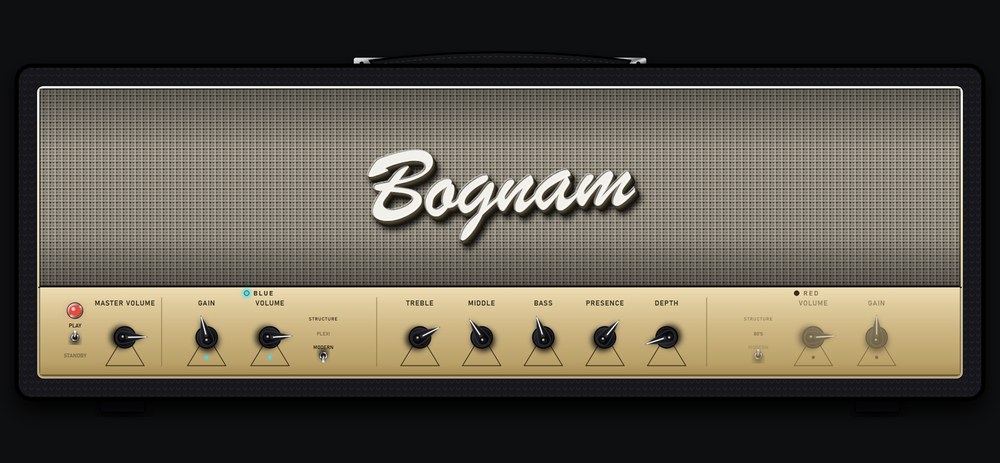
- Bognam Multichannel — BLUE and RED on one head with a real channel switch, and each channel's STRUCTURE switch (PLEXI / MODERN on BLUE, 80'S / MODERN on RED) captured as its own voicing. Four voicings across the full gain range, as the full rig with its cab and again pre-speaker (DI) for your own IR — two browser rows, one key. €12, free to audition for 2½ minutes at a time.
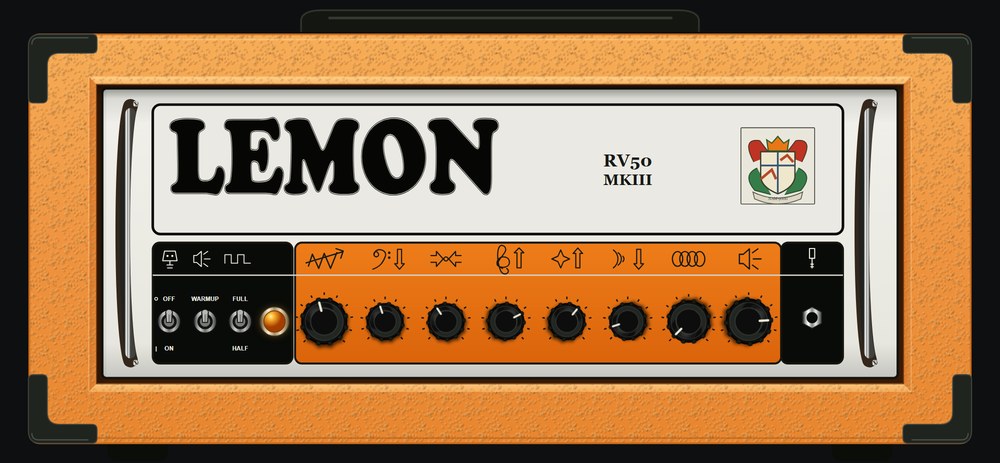
- Lemon RV50 — the British 50-watt with GAIN, a three-band tone stack, PRESENCE and MASTER, and its spring reverb on the faceplate — the REVERB knob drives the amp's own tank, before the cab, the way the hardware does it. One channel captured across the gain range, full rig and DI in one purchase. €12, free to audition.
- Stereo in and out (Pro, plugin) — on a stereo track the left and right channels each get their own pedals, gate and amp: amp A takes the left, amp B the right, and the two meet at the dual mixer. A ROUTING strip in STUDIO view picks SUM, STEREO, LEFT or RIGHT per session, so a stereo synth, a wet/dry pair or two guitars on one track run through two rigs at once. Mono tracks and the standalone are unchanged — they were always mono-in, and still are. Bus layouts in your DAW do not change either, so every saved session opens as before.
- Two more capture slots (Pro) — a second capture pedal before the amp, and two post-cab slots for captured outboard — a studio preamp, a tape stage, an EQ — after the speaker. All three sit in the STUDIO grid in true processing order and travel with the preset.
- Small fixes — switching scenes or channels keeps the cab you had loaded; and the Mystique ODS-100 paints its knobs when it is amp B in DUAL mode.
Everything else is unchanged: same packs, same licences. Pro and Premium keys unlock the stereo lanes and the extra slots without any action on your side.
NAM-9000-Setup-1.16.0-free.exe · 136.9 MB
SHA256: d8f5f22e9ce6d691b311308df833adcca3c0880c1c5aeca01399c2e4d027dbdf
NAM-9000-1.16.0-macOS-free.pkg · 306.8 MB
SHA256: 884c7cb7d3597e249b328aabe6b1c3f442c6e905fa66a4ad4d5b3cf3a9f8e63a
The Bogie 2C+ as a whole head, a new EQ pane in STUDIO, and a steadier STAGE
1.15.0 turns the Bogie 2C+ — until now a hero pack of finished rigs — into a full multichannel head, gives STUDIO view an EQ pane built for the pane, and fixes a stutter in STAGE view that only 60 Hz displays could see.
- Bogie 2C+ Multichannel — the 2C+ lead mode and the hotter 2C++ circuit on one head with a real channel switch, plus the two pull switches that define this amp: PULL DEEP on MASTER 1 and PULL BRIGHT on LEAD MASTER, each captured as its own voicing so every combination is a real capture and flipping a switch never moves a knob. Twenty-two captures per voicing, five voicings, and the five-band graphic EQ on the panel where the hardware puts it. €12, or audition it free in your own rig. Hero-pack owners receive the head for free by mail.
- STUDIO EQ pane, redesigned — the console's LIQUID EQ unit no longer gets shrunk into the pane. STUDIO now has its own EQ editor in the same style as its MB COMP pane: a GRAPHIC / PARAMETRIC toggle, ten big faders or HPF / 1–8 / LPF band pills with FREQ / GAIN / Q knobs, and a display with the response curve, the same liquid spectrum as the console EQ, and draggable markers — dots drag gain, parametric nodes drag frequency and gain, the wheel sets Q, double-click flattens.
- STAGE zoom without the stutter — the zoomed editors keep every slider, knob and switch live but no longer animate, and meters and scopes everywhere now count frames instead of milliseconds, so a 60 Hz display gets a steady 30 fps where it used to hop between 20 and 30. The analyzer also stays still when nothing is playing.
Nothing else changed: same packs, same licences.
NAM-9000-Setup-1.15.0-free.exe · 136.8 MB
SHA256: 04ef57caa2dd37bd6a030ff8d765d9baed5bf5b9b715a2ec44ca2cc9dff0f312
NAM-9000-1.15.0-macOS-free.pkg · 306.4 MB
SHA256: ea1d261b40b4ed6538948e0f74628923645d2b1fb9afc18ba41e5b6dabb9deac
Clean delay repeats again
1.14.0 gave the delay's wow and flutter a random, tape-like drift. The filter shaping that drift let a trace of audio-rate jitter through onto the delay time, so every repeat — the first one included, in every mode — carried a faint noise skirt riding on it. On a clean tone it sat about 21 dB below the repeat; under a driven amp and a dark tape setting it hid, which is how it shipped. A Premium user's careful bisect found it within the day.
- Repeats are clean — the drift is now band-limited hard before it reaches the delay line. The same measurement reads 68 dB below the repeat. The amount and character of the wow and flutter are unchanged, and the MOD knob does exactly what it did — no preset needs editing.
- Flutter depth corrected — the flutter component was running 3 dB deeper than designed in 1.14.0; it now matches the tape sound 1.13 had at the same MOD setting.
Nothing else changed: same amps, same packs, same licences. If you had turned MOD down to work around it, turn it back up.
NAM-9000-Setup-1.14.1-free.exe · 136.7 MB
SHA256: cd3bcb7d345ee2aa47fdf80e4ae7d23aa92b37d76fa49b690a47994576194d02
NAM-9000-1.14.1-macOS-free.pkg · 306.2 MB
SHA256: 190879b1432d253b5da8269a4bc13331cbdd0da57dfe8c83a868a53dfad060a2
A new head, instant channel switching, and a library that travels
1.14.0 adds the NAMM Terminator 120 as a four-channel multichannel head, makes scene and channel switching instant, and lets you carry your whole library — presets, captures, IRs and installed packs — to another machine in one file. Plus a startup preset, a lusher tape delay, a DSP load readout, and a macOS Bluetooth MIDI fix.
- NAMM Terminator 120 Multichannel — Green, Purple, Purple Aggro and Red, each captured across its full gain range on one head with real channel switching. €12, or audition it free in your own rig.
- Scene and channel switching is instant — switching used to build the incoming channel on the spot, which froze the interface for a second and could nudge the outgoing channel's volume before the new one landed. Channels you have visited now stay resident: a switch lands in under a tenth of a second, and the gain arrives with it.
- Library transfer — the settings popover's LIBRARY row has EXPORT and IMPORT: one .namlib file carries your presets, captures, IRs, pedals and installed packs to another machine. Import never overwrites what is already there. Licences stay behind on purpose — paste your key once on the other machine.
- Startup preset — choose the preset the standalone app opens on. Per machine; a saved DAW project always wins.
- Tape delay — the wow and flutter now drift like real tape instead of two fixed sines, and a new SAT knob sets how hard the repeats saturate. 50 is exactly the old sound.
- DSP load and PEAK readout — the DIAGNOSTICS row shows average load and the worst single block since you last looked. PEAK above 100% means your buffer is too small for this machine — raise it and the dropouts go.
- macOS Bluetooth MIDI — opening Bluetooth MIDI from Audio/MIDI Settings crashed the app on 1.13; it now opens the pairing panel and wireless MIDI controllers connect (standalone).
- Plugin hosts — NAM now reports its latency to the host so delay compensation lines up, declares its tail, handles any block size, and loads captures from folders with non-ASCII letters in the name.
- Bogie 2C+ — the Mark IIC+-style head's faceplate now reads Bogie 2C+. Same captures, same key.
NAM-9000-Setup-1.14.0-free.exe · 136.7 MB
SHA256: 5d0b10e59a5de885392e4243332ac68e3ca9a357bbeb96def6006c19b7b14630
NAM-9000-1.14.0-macOS-free.pkg · 306.2 MB
SHA256: dc0788a44b770365e0a112a77dbe0770f032d387006e7bf4e99f737dac4a5985
Footswitches that only send "on" now work
A whole family of MIDI footcontrollers sends the same message every time you step on a switch, and never anything on release. NAM was waiting for that release before it would accept the next press — so a switch would learn perfectly, work once, and then go dead. If that was you, nothing needs re-learning: update and your existing mappings start working.
- Switches that never send a release — controllers like the Hotone Ampero Control, and most Morningstar and Boss defaults, send 127 on every press and no 0 at all. Those now fire on every press, including for scenes, channel switching and preset changes.
- On/off controls driven by such a switch — a pedal or rack unit mapped to one of them now toggles per press instead of engaging once and staying on. Controllers that do send both halves are unchanged — an expression pedal and a 0/127 footswitch behave exactly as before.
NAM-9000-Setup-1.13.1-free.exe · 136.7 MB
SHA256: 81efc4601e6db81a4e149aa17279ec40a4dd93902ecb73a40298a26f63159be3
NAM-9000-1.13.1-macOS-free.pkg · 305.9 MB
SHA256: 363151c7f34790748fd1139124f1fb69ea65902e9a1b5f501bc371381fe3c2b6
Three ways to look at one rig — and three more heads
The console was built for dialling in. It was never built for a dark stage, or for a mix engineer who thinks in signal chains. This release adds both views on top of the same rig, free for everyone, and brings scenes: snapshots of the whole rig you step through with a footswitch. Three new heads land in the store, one of them the amp we had to rename.
- STAGE view — a fullscreen live view built from your real rig: your pedals, your head with its channel switch, the rack, a big tuner and tap tempo, readable from standing distance. Right-click anything to MIDI-learn it, swap it, or hide it from the stage. Free.
- Scenes — a scene is a snapshot of the whole rig, and switching is seamless — no gap, no reload. Every scene is MIDI-learnable, so a two-button footswitch runs a real live set. The free app holds two scenes per preset; Pro holds five, plus a SCENE VOLUME trim per scene so a dual-amp scene sits as loud as a single one.
- STUDIO view — the mixing engineer's view: the whole chain as a grid in true processing order, and the selected block's full editor below it — amp pane in faceplate order, both cabs marked, per-band multiband compressor, the effects rack as four real units, the dual-rig routing map. Free, with the Pro blocks shown locked exactly as on the console. The layout is yours and stays per machine.
- Freednam BE-100 Multichannel — the boutique British-voiced head with all four voices — BE, BE Fat, HBE and HBE Fat — each its own gain sweep on the amp's own faceplate. Anyone who paid for the BE-100 hero pack already has this in their inbox. €12.
- 5151 + 9505+ Multichannel Pack — two heads, one key: the 5151 (two channels) and the 9505+ (three channels, CRUNCH voicing on the rhythm channel). The second one is the amp formerly listed under a name we did not own; same captures, new name across the app. €15.
- Mystique ODS-100 Multichannel — the Californian boutique overdrive special: three channels captured as the full rig and pre-speaker for your own IR, plus the Hot Rod sibling in its own finish. €15.
- Smaller things you will notice — the Dual Rectifier head is redrawn at the real amp's proportions; hero-pack profiles wear their amp's face; a restored session brings back any head, not just the early ones; the app idles at a third of its former CPU; installed multichannel packs sort under one Multichannel folder.
NAM-9000-Setup-1.13.0-free.exe · 136.7 MB
SHA256: 2db3932526f1644aa7ce9c7e8f680d8cc3abf1e40f34618efde33f558cdce1fd
NAM-9000-1.13.0-macOS-free.pkg · 305.9 MB
SHA256: e0cb53924f99757d1baf3cb6eaa0a9279381419145f3679373e64fadce2468ca
Two new heads — and your captures now tell hardware how hard to drive them
A customer wrote in because a profile he exported to his hardware pedal sounded like a different amp depending on the input level. He was right, and the reason was ours: a NAM file can carry a note saying how hard it was driven when it was captured, and ours were leaving it blank. That is fixed, along with the export that was quietly throwing the rest of the file's labelling away — and there is now a step that measures your playing and hands you the number to dial in.
- Your captures carry their input level — a NAM file can record what analog level matched 0 dBFS when it was made, and hardware players read it to drive the model exactly as your rig was driven. NAM 9000 has always read that field; now it writes it too — but only when you have actually measured your interface, because a guessed number is worse than none. A player trusts it.
- Export for hardware stops losing the label — the exported file kept its name and loudness and dropped everything else — whether it was a full rig or amp-only, what kind of gear it came from, and the calibration above. Your unit could not tell a cab-included capture from a DI. It all travels now.
- A level step before anything leaves the app — Render Rig and Export for hardware both start by listening to you play for a few seconds, then tell you the level to set on your unit — with a plain read on it, so "too low" says so instead of leaving you to wonder. No meter on your pedal? It tells you what to do instead. Drive is tone on a neural model: a few dB off is a different amp, not a louder one.
- Export a whole preset, not just a profile — a bare profile is an ingredient — no cab, no pedals, and on a multichannel amp not even a fixed setting. Pro and Premium can now bake an entire dialled preset into one file for hardware: amp, drives, tone stack and cab, exactly as you hear it. Your own captures still export directly, on any edition.
- Auditions lost their daily lock — trying a catalog amp no longer locks that amp out for a day. Switch to a different head and the clock starts fresh, as often as you like. 2½ minutes at a time in the free app, 5 minutes with Pro.
- Tweed '59 — one purchase, both halves — Jumped, Bright and Normal of the tweed bass amp guitarists took over, each a full gain sweep. The full rig with its cab and the same three channels captured pre-speaker for your own IR, plus the static captures of the same head. €12.
- Namzel VH 3 — the German high-gain head behind two decades of modern metal. Three overdrive channels — CH 2, CH 3 and CH 4, the real amp's own numbers — each with its own gain sweep and its own tone stack. €12.
NAM-9000-Setup-1.12.0-free.exe · 136.5 MB
SHA256: b3c7e34d8a50f3341ae5a00a0b6f8dd672a63badb5cde7c3ceb96731fe47249f
NAM-9000-1.12.0-macOS-free.pkg · 305.1 MB
SHA256: eb68df182717fde559071aeb59b1e1bee869d150797fb4b53ccfce3c4bf640b5
Single mode stops borrowing a second amp head
A quick fix for a display bug that made single amp mode look like dual. If you ever used the Pro dual rig, the amp you left in slot B could keep its head on screen next to amp A — so loading any normal amp seemed to "open in dual mode".
- Single mode shows one amp again — the app remembers your slot-B amp across mode switches on purpose (so DUAL picks up where you left it), but its head no longer stands in the row while you're in SINGLE. Cosmetic only: the sound was always single-amp.
- Multichannel amps were never affected — their full-width faceplate replaced the row entirely, which is why the bug looked like it belonged to the other amps.
NAM-9000-Setup-1.11.2-free.exe · 136.4 MB
SHA256: abbdb7206c1292033be98cab3bb579f9da0187981660a36f0f8ee2472a8bd6db
NAM-9000-1.11.2-macOS-free.pkg · 304.8 MB
SHA256: 82b72966bd9701acf345182feef0edcb067d75aa744ca9e27a0e8577e7ac18b3
Blackface fixes — and it was hiding from the people who own it
A same-day fix for four faults around the Blackface Deluxe-style head. One of them mattered enough to ship on its own: if your licence covered that amp, the app stopped showing it to you.
- The Blackface is visible again — owners (every Premium licence, and anyone who bought the head) lost it from the browser entirely, and its Normal channel became unreachable. The app was treating the amp as "already installed" because a retired pack inside the Premium bundle shares its first channel's name. If you own it, it's back under Multichannel — nothing to reinstall.
- No more black box behind it in dual mode — the faceplate carried its own backdrop, which only showed when the amp wasn't full width.
- The onboard reverb and tremolo read honestly on amp B — those live in the first amp's block, so on amp B they can't do anything. They're drawn greyed now, instead of looking live and doing nothing.
- Loading a Blackface as your second amp no longer silences the first one's reverb — a bug nobody reported: painting that faceplate in the B slot could zero amp A's onboard reverb and tremolo.
- Update checks are per-platform — Windows and macOS don't always ship the same hour; the update badge now only tells you about a build your own platform can actually download.
NAM-9000-Setup-1.11.1-free.exe · 136.4 MB
SHA256: 8eb29a2e163c8ebbe8e45bb9d1d999fa5971dc05d52730b5f24ae0228ca4b78d
NAM-9000-1.11.1-macOS-free.pkg · 304.8 MB
SHA256: fc84db5048681a2d57cdd98befcbafea2204fde9080d52afcf67ff686917bc93
MIDI on everything, two heads side by side, and the cab room opens
The standalone becomes a live tool: every control learns a MIDI CC, and a footswitch drives the parts of a rig you actually change mid-song. The Pro dual rig grows from two captures into two entire amps. And the cab section gets a store, a library, and a way OUT — plain WAVs you can take anywhere.
- MIDI control — built for the standalone — right-click any knob for MIDI LEARN; footswitch ACTIONS fire on the press — channel switching on multichannel amps, preset up/down, tuner, A/B, tap tempo; give any named preset its own CC, and turn on Program Change if your board sends it. Your map is saved per machine, not per preset, so it works across your whole library. (In a DAW you already have host automation — this is for playing.)
- Dual rig v2 (Pro): two whole amps — both slots now run multichannel amps side by side, each wearing its own working faceplate — switch channels on either head. The layout adapts to your window (stacked or side by side, whichever shows the amps bigger), each amp has a zoom toggle for close-up dialing, and a DSP load meter tells you there's room before you load the second head.
- The cab section opens its store — nine genre IR packs live in the browser with the same five-minute free preview as the amps. Buying one removes the encryption: EXPORT writes plain 48 kHz WAVs into My IRs, yours to use in any IR loader, DAW or hardware unit. Right-click any IR to reveal the file. Owned packs and amps now file under their own groups, and release-fresh content wears a small NEW badge for its first week.
- Four new amps in the catalog — SLO-100-style, Mark IV-style (with the five-band graphic EQ on the faceplate), BritPlex 50 — and the DC-30-style hero pack. Details in the store drop below.
- VIBE — free, for everyone — a photocell vibe stomp, measurement-tuned against the real unit, joins the pedalboard.
- Seamless amp switching — loading a new capture crossfades instead of popping — browsing the library mid-riff finally sounds like an A/B box.
- Fixes — multichannel presets remember every channel's knobs, not just the lit one; ESC cancels every kind of MIDI learn; ADD PEDAL no longer lists pedals that don't exist yet.
NAM-9000-Setup-1.11.0-free.exe · 136.4 MB
SHA256: 8164423daa11065fec44d591d478b933586e81a3713ba68ac45123438f22a8ec
NAM-9000-1.11.0-macOS-free.pkg · 304.8 MB
SHA256: 25bceecf6581bf5e0baf23892f684a74336dd6f98156ba16405e552bc39d3ec4
Four new amps — and the whole cab room in plain WAV
The store grows in both directions at once: three more whole heads with real channel switches, a boutique hero pack, and a new product class — the entire cab library as IR packs you can take anywhere. All of it is buyable today; the matching free app update (1.11, above) is out and brings a new pedal with it.
- SLO-100-style Multichannel — €12 — Clean, Crunch and the Overdrive channel people buy this amp for — every channel its own full GAIN sweep on one switchable head.
- Mark IV-style Multichannel — €12 — Rhythm 1, Rhythm 2 and Lead, plus the onboard 5-band graphic EQ right on the faceplate.
- BritPlex 50 Multichannel — €12 — the plexi three ways: Jumped, High Treble and Normal — genuinely dark and quiet at low volume, exactly as the amp is.
- DC-30-style hero pack — €9 — boutique chime with a bite: a 17-capture GAIN sweep plus three mix-ready rigs, each as FULL and DI captures.
- Cab IR packs — €5 each, €35 for all nine — 284 studio-measured impulse responses in nine genre packs, Modern Metal to Country & Americana. Preview any pack free in the app — and buying removes the encryption: EXPORT writes plain 48 kHz WAVs into your library, ready for any IR loader, DAW or hardware unit. All nine are included with Premium.
- VIBE — a free pedal for everyone — a photocell vibe stomp, measurement-tuned against the real unit, joins the pedalboard free in the 1.11 update.
A stereo rack behind the amp, and a blackface combo with its own reverb
The biggest release since multichannel amps arrived. Your rig stays mono where it should be — guitar, pedals, amp, cab — and then it opens up: three stereo units behind the cabinet, in front of the delay and reverb. And the amp everyone kept asking for now has the two things that make it that amp, built into the head rather than bolted on after it.
- The stereo rack (Pro) — an Ensemble with a micro-pitch doubler for width, a stereo tremolo and twin phaser for movement, and a Rotary with a treble horn and bass drum that spin up at different rates, so their speeds cross during every transition — that swirl is the part players actually play. Loudness-matched, so switching one on doesn't change your level. On the free version, PREVIEW runs any of them for a minute on your own guitar.
- Blackface Deluxe — both channels, and its own reverb and tremolo — Normal and Vibrato on their own inputs, with the spring reverb and bias tremolo modelled into the amp, sitting between the power amp and the speaker exactly as the hardware does — so the tremolo throbs the reverb tail too. Five minutes free in the app, €12 to keep.
- Tempo sync — tremolo, phaser and flanger lock to the beat, 1/16 up to four bars. In a DAW they follow the session tempo and land on the beat; on their own, set the BPM at the bottom of the window or tap it in. There's a metronome beside it now, too.
- Logic: mono tracks work again — projects saved with NAM 9000 on a mono track opened with the instance missing, and it couldn't be added to a new mono track at all. Fixed, and nothing about the sound changes — the stereo image is still built inside and folded down.
- The delay's first repeat is voiced like every other one — TONE and the DIGITAL/ANALOG/TAPE character used to start working from the second repeat, and did nothing at all with FEEDBACK down. Saved presets will sound a touch darker on the first repeat.
- A log file for when something goes wrong — SETTINGS → DIAGNOSTICS, with OPEN FOLDER and COPY INFO. It stays on your machine — nothing is uploaded — and attaching it to a support mail usually answers the question in one reply.
- Windows: local GPU training installs itself — tick it in a Custom install and everything needed comes along; no Python to install first. Still needs an NVIDIA card and still downloads PyTorch.
- Amp auditions are once per amp per day — trying a catalog amp is still free and needs no key, but the five minutes are now remembered, and an amp's channels share the one audition. Every amp has its own, so there's always more to try.
NAM-9000-Setup-1.10.0-free.exe · 136.2 MB
SHA256: 0c04c2c419339c78731e0a87a46c618a1caf2e85eecba82e71853d48179e2024
NAM-9000-1.10.0-macOS-free.pkg · 303.8 MB
SHA256: 7bcfc5df144eb306b9313f1793e83b2f48d7196560a9282e7316d9fd456468fe
Your presets keep what you put in them
Every fix here came from one player reporting what he heard in an afternoon. The theme: a preset should be a snapshot of your rig, and a few settings weren't behaving that way — some got thrown away on load, others followed you around when they shouldn't have.
- Presets remember your noise gate — save a preset with the GATE set where your guitar and room need it, and it comes back that way. Factory and pack presets still leave your gate alone on purpose: that setting tracks your room, not the tone, and ours came off our capture rig.
- An amp's onboard reverb and tremolo stay with that amp — they belong to the head that has them. They no longer run on every other profile, and they no longer carry from one preset to the next — which could leave a tremolo throbbing away with no knob in sight to stop it.
- Four more settings stopped leaking between presets — the reverb engine (load a Plate preset, then an older one, and its Room reverb was a plate), the delay's stereo offset, IR B alignment, and the multiband compressor being left switched on. Each of these was given a neutral default so older presets would be unaffected — now that promise is actually kept.
- Folder renames tell you what happened — renaming a factory or pack folder isn't possible, and it used to fail in complete silence, which looked exactly like a rename that didn't save. Now it says why, and the option only appears on folders that are yours.
NAM-9000-Setup-1.9.2-free.exe · 92.0 MB
SHA256: cc987f63ffe975923e1fb2137a9bacef39564b682a29587f52627704a365e0e6
NAM-9000-1.9.2-macOS-free.pkg · 303.3 MB
SHA256: 980cc75d06f4b0ba94c31d8a0a1063241dba0d7cf50e3f5eb722d71491049883
Two fixes worth updating for — and a much better browser
1.9.0 shipped with two bugs we're not proud of: Logic mono tracks lost the plugin, and the standalone app could crash on launch. Both are fixed here. While we were at it, the community browser grew up and a nasty freeze went away.
- Logic mono tracks work again — 1.9.0 stopped offering the mono-to-mono configuration, so saved mono-track projects reported the plugin as unavailable and it couldn't be added to a mono track at all. Both work again — and the stereo image is still built internally, then folded down, so nothing sounds thin. Full explanation in the FAQ.
- Standalone startup crash fixed — the app could die at launch depending on your audio device's buffer size and what was loaded last session.
- Big libraries got fast — stepping through profiles and cabs used to freeze the interface for up to eleven seconds once your library grew. Now it's under a second — the more captures and IRs you own, the more you'll feel this one.
- TONE3000 browser, rebuilt — artwork and creator cards instead of a bare list, an expandable browse grid you can drag wider, genre filters, and MY CREATORS to keep the makers you trust one click away.
- macOS scrolling behaves — knobs and faders follow your physical mouse wheel and respect your natural-scrolling setting, instead of turning the wrong way with an external mouse.
- Also: long cab names no longer hide the step arrows, clicking the cab on the amp page opens the cabinet section, and the AC-20 style amp finally reads by its proper name in the app.
NAM-9000-Setup-1.9.1-free.exe · 92.0 MB
SHA256: d2d0f2a61e70300ab18a0aabdad55ee44e5e79a0857295b23f91ed599a882767
NAM-9000-1.9.1-macOS-free.pkg · 303.3 MB
SHA256: e0a4593f726aa7454254beea75413fe1f6c622a836fd2340ebee692003f39f00
Multichannel amps — whole heads, real channel switches
Until now a capture was one sound. These are whole amps: every channel captured as a full gain sweep, on one head with a working channel switch — flip from Clean to Lead and the GAIN knob keeps meaning what it says. Try any of them free for five minutes at a time, as often as you like.
- Four multichannel amps — 5150 III-style 100W and Stealth (Clean/Crunch/Lead), Dual Rectifier-style (Orange/Red × Vintage/Modern) and the boutique AC-20 style (EF86/12AX7 × Bass/Treble). €12 each — and one of them is free with Pro, your pick.
- Five-minute free previews — click any of them in the browser, let a small one-time download finish, and the whole head is yours to play — all channels, full quality, five minutes on the clock. When it runs out your own rig returns, and you can simply audition again.
- Keys, not installs — buying an amp is paste-the-key-and-play: the app fetches the captures itself and caches them offline. No files to manage (a bulk download still exists if you want everything at once).
- Three new drive pedals — NAM BOOST and NAM LEAD (our own circuits — honest branding, no imitation) and CIRCUIT SLAMMER, a boutique overdrive captured across its whole drive range. All with 30-second auditions like the rest.
- Five factory rig presets — mix-ready rigs built on the multichannel amps, in every fresh install — loading one offers the amp's preview so you hear the rig as intended.
- Delay stereo OFFSET — the right side's echoes arrive a few milliseconds late: stereo width without ping-pong, never a flam. The ON/TAP switches now glow with the echoes themselves.
- Brit 800 gets its own head — the free Brit 800 sweep wears proper British-stack panels now — and its top-of-the-knob range was recaptured cleaner.
- Input calibration (dBu) — optional, in settings: match profiles that carry a calibration reference to your interface's actual level — the convention other loaders use, now here.
- Also: honest knob pointers app-wide (rate knobs no longer read as maxed), tremolo speed tamed to real-pedal range, presets remember which drive pedal sat in the screamer slot, and a long list of preset/browser fixes found by testing fresh installs on both platforms.
NAM-9000-Setup-1.9.0-free.exe · 91.5 MB
SHA256: fd32f5cd50bcef951c500c0169655ad66d5a9ccbbed9c94a2680c7d190d3d1c4
NAM-9000-1.9.0-macOS-free.pkg · 301.7 MB
SHA256: d0624456aedda26263339c2a1e3e875efbdc78eef2562e721017612470f0104f
The store opens — and twelve pedals move in
The big one. The preset-pack store is open — and the pedals it sells are already sitting in your app, ready to audition. Every capture we sell is multigain: real knobs riding real captures, not filters.
- The store is open — hero amp packs with a real GAIN knob (€9), multigain drive pedals (€9, five for €19), NAM 9000 Pro (€19) and the free Starter Rigs pack. Offline license keys — no account, ever.
- GD-808 GREEN DRIVE — the tube screamer reborn as a factory pedal. Its DRIVE knob rides a real 9-point gain-sweep capture, so every position is the actual circuit.
- Twelve catalog drive pedals, try before you buy — each one already in your ADD PEDAL menu. Audition free with full features, 30 seconds at a time; a license key removes the limit.
- DRIVE knob on captured pedals — load any gain-swept pedal set in the CAPTURE slot and dial it continuously.
- TONE3000 sign-in — connect your account once in the browser; no more pasted API keys.
- TONE3000 IR browsing — pull cab and room IRs straight into the CAB slot, and right-click any tone for more by the same creator.
- Library organization — folders, multi-select, drag-and-drop import from your computer, delete-key removal.
- Output that protects your monitors — defaults to −3 dB, an AUTO button sets it for you, and the knob lights red if the output ever clips.
- Lite graphics — one switch makes the moving glow, tube flicker and metal textures static — same sound, roughly half the interface CPU.
- Capture studio — train up to 1000 epochs, or set a quality target and stop the moment it's reached.
- Release notes in the app — the update badge now opens a what's-new panel.
- Fixes: library removal updates instantly; the "VCRUNTIME140_1.dll missing" error on fresh Windows installs is gone. Heads-up: DAW sessions saved on 1.7.1 or older restore the old TS9 pedal at DRIVE 50 — presets migrate automatically.
A free hero amp — with the first real GAIN knob
The release where a capture stopped being a snapshot. We captured one amp many times across its actual gain control and taught the GAIN knob to travel through them — then gave that amp away to everyone.
- Brit 800 hero pack — free, in the app — the rock amp, in full-rig and DI versions, yours to keep.
- The real GAIN knob — 18 separate captures across the amp's own gain control. Turn the knob and you move through the amp's actual gain staging, clean sparkle to full crunch.
- Four reverb engines — ROOM, HALL, a real dispersive SPRING with the drip, and a studio PLATE — all with true stereo tails, all free.
- Dual DELAY/REVERB pedal — both time effects on one cleaner face.
- 4-cable-style noise gate — kills high-gain hiss before and after the amp, without chatter.
- Knob explainers — hover any control for a plain-language tip; switch them off when you know the rig.
- Quality-of-life pass — section power switches on the rig plate, a smarter preset menu, Ctrl/Cmd-Z undo, preset hover cards.
- Also: smoother pitch shifting, an in-app update check with the gold badge, WebView2 hardening for fresh Windows installs.
NAM 9000 comes to Mac
One codebase, both studios. The Mac build is universal — native on Apple Silicon and Intel — signed, notarized, and identical in sound to the Windows version.
- macOS support — AU, VST3 and Standalone, universal binary, notarized installer.
- Automatic IR alignment — dual-cab rigs auto-align IR onsets at load, in every edition; Pro adds a ±2 ms fine-align control.
- Tighter capture timing — the capture studio compensates your interface's round-trip latency automatically — cleaner training data, better models.
- Also: FULL / AMP / PEDAL badges in the profile browser, clearer dual-rig level warnings.
The dual rig arrives
The studio trick that defines big rhythm sounds — two complete rigs at once — built into one plugin instance.
- Dual amp playback — two captures in parallel, each with its own level and pan (Pro).
- Dual cab / dual IR — a stereo cab section with two IRs, per-mic pan and phase (Pro).
- Render Rig — bake the whole rig — amps, pedals, EQ, cab — into one standard .nam that runs in any NAM player or hardware unit (Pro).
Play everything. Capture anything.
Where it started: a full rig — amp captures, pedalboard, EQs, multiband compressor, cab and time FX — plus a built-in capture studio that turns your own amp into a profile. Free, no account, no strings. Everything above was added without ever taking anything away.