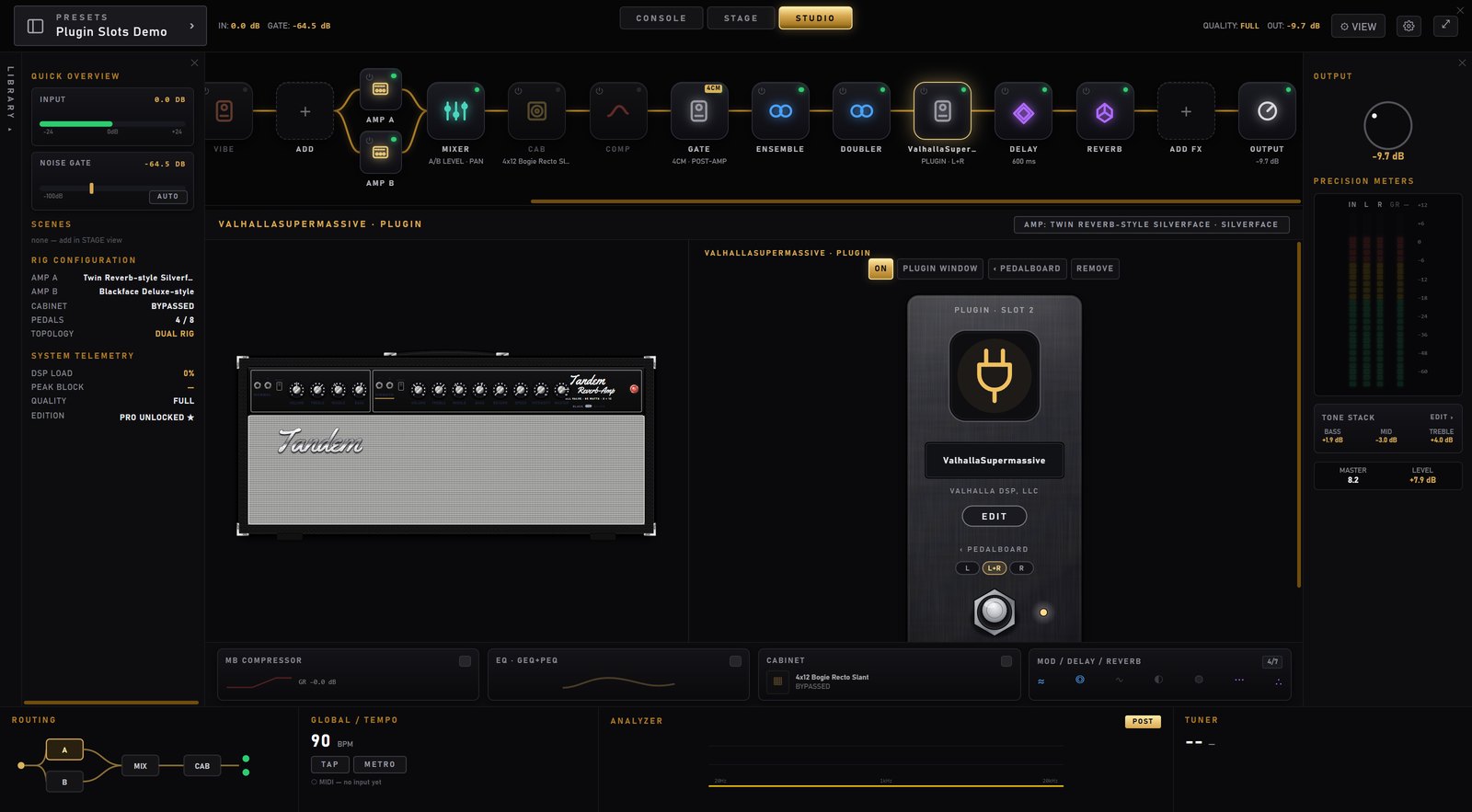
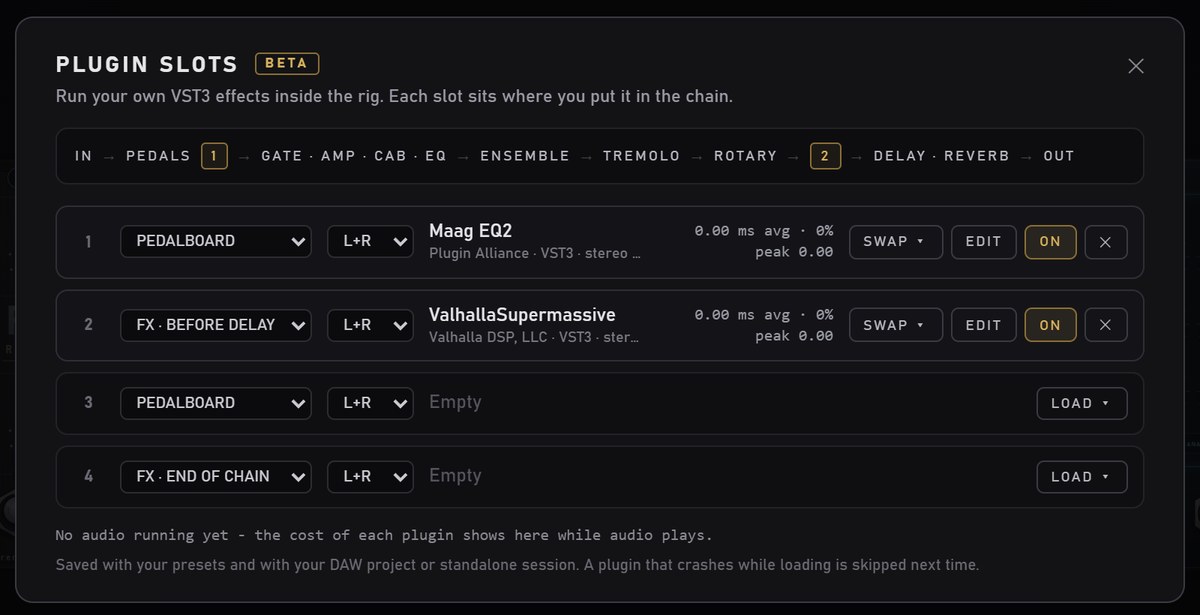
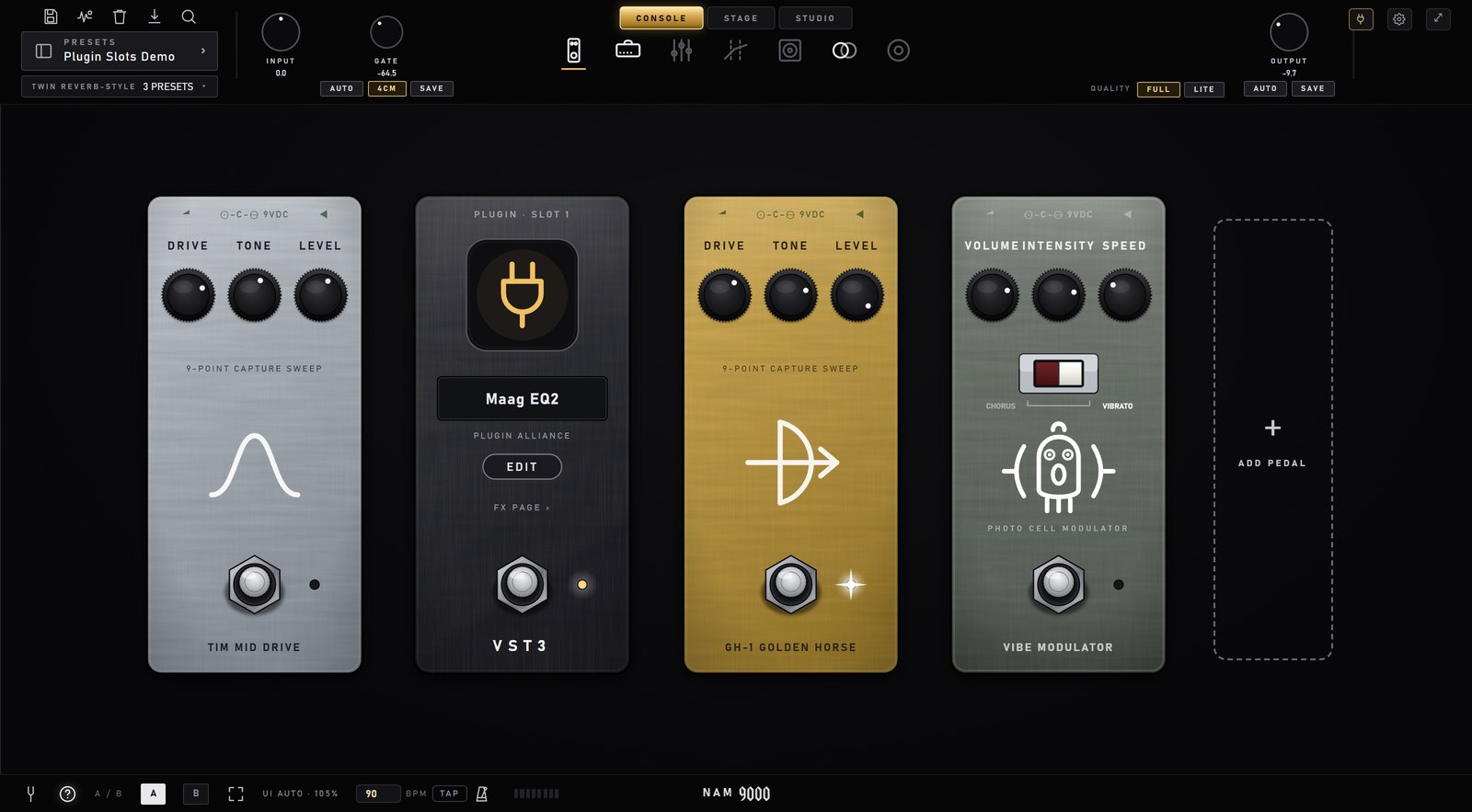
NAM 9000 can now run your own effect plugins (VST3, and AU on Mac) as part of the rig, as pedals you place where they make sense: between your stomps, or between the effects after the amp. Plugin slots come with NAM 9000 Pro, Pro Bass and Premium, from version 1.21. They still carry a BETA tag while reports come in from more rigs and plugins.
1 · Get it
Plugin slots are part of NAM 9000 from version 1.21. Install it over your current version like any update; your presets, captures, packs and key stay where they are. Plugin slots need a NAM 9000 Pro, Pro Bass or Premium key. The free version shows them locked.
C:\Program Files\Common Files\VST3; on Mac the system and user Audio Plug-Ins folders). Plugins somewhere else can be loaded with BROWSE.2 · Add a plugin
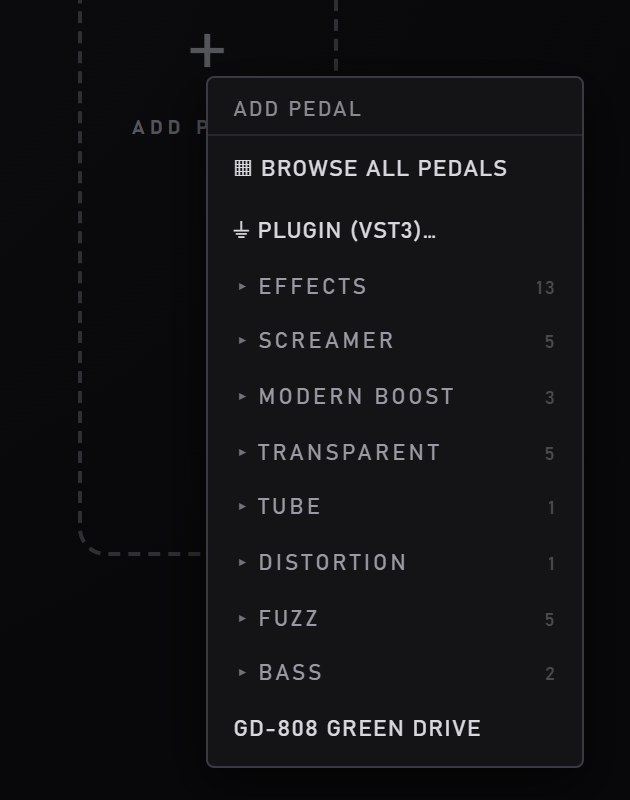
On the pedalboard page, click ADD PEDAL and choose PLUGIN (VST3)…. The slots panel opens with a list of the plugins on your computer.
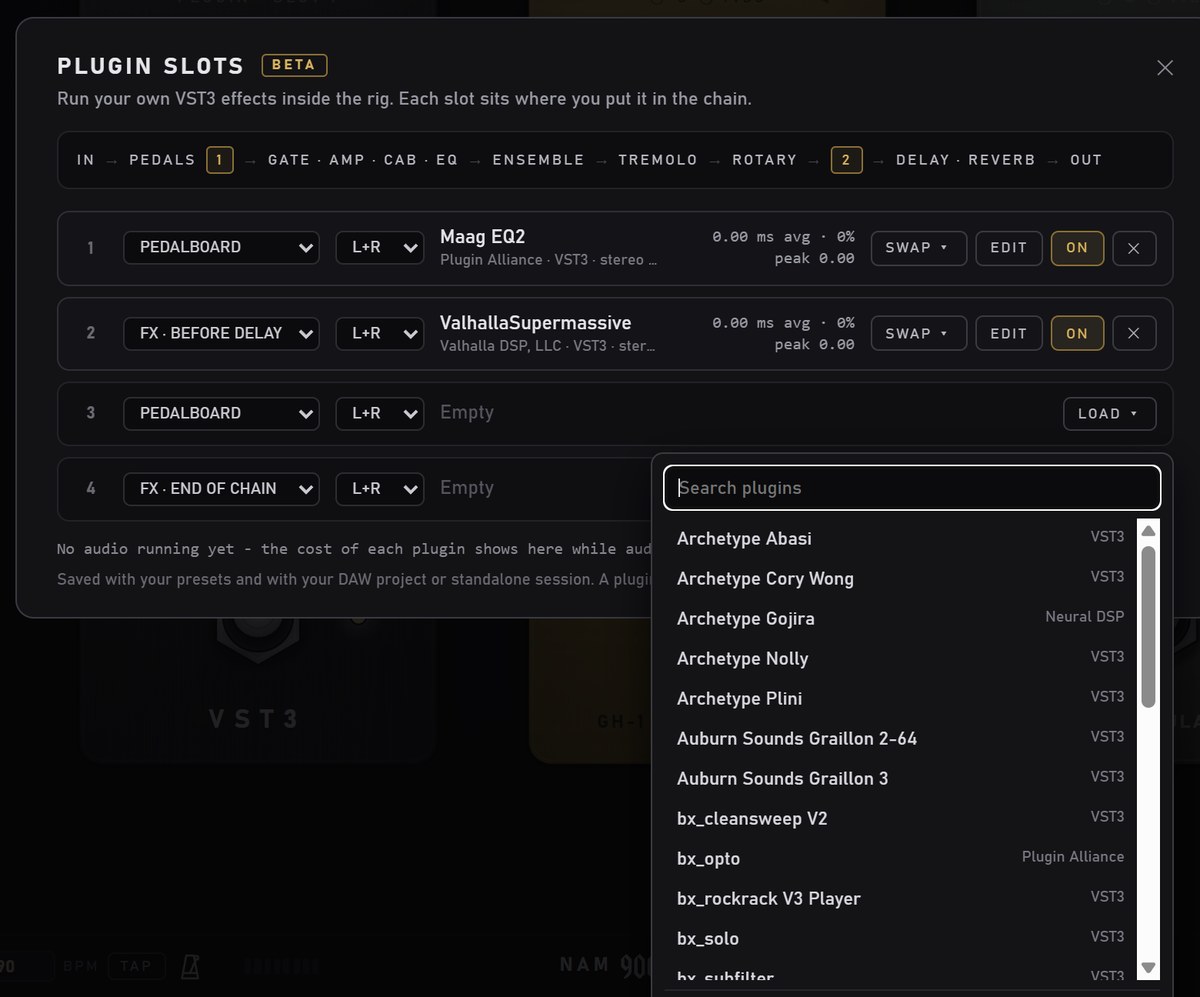
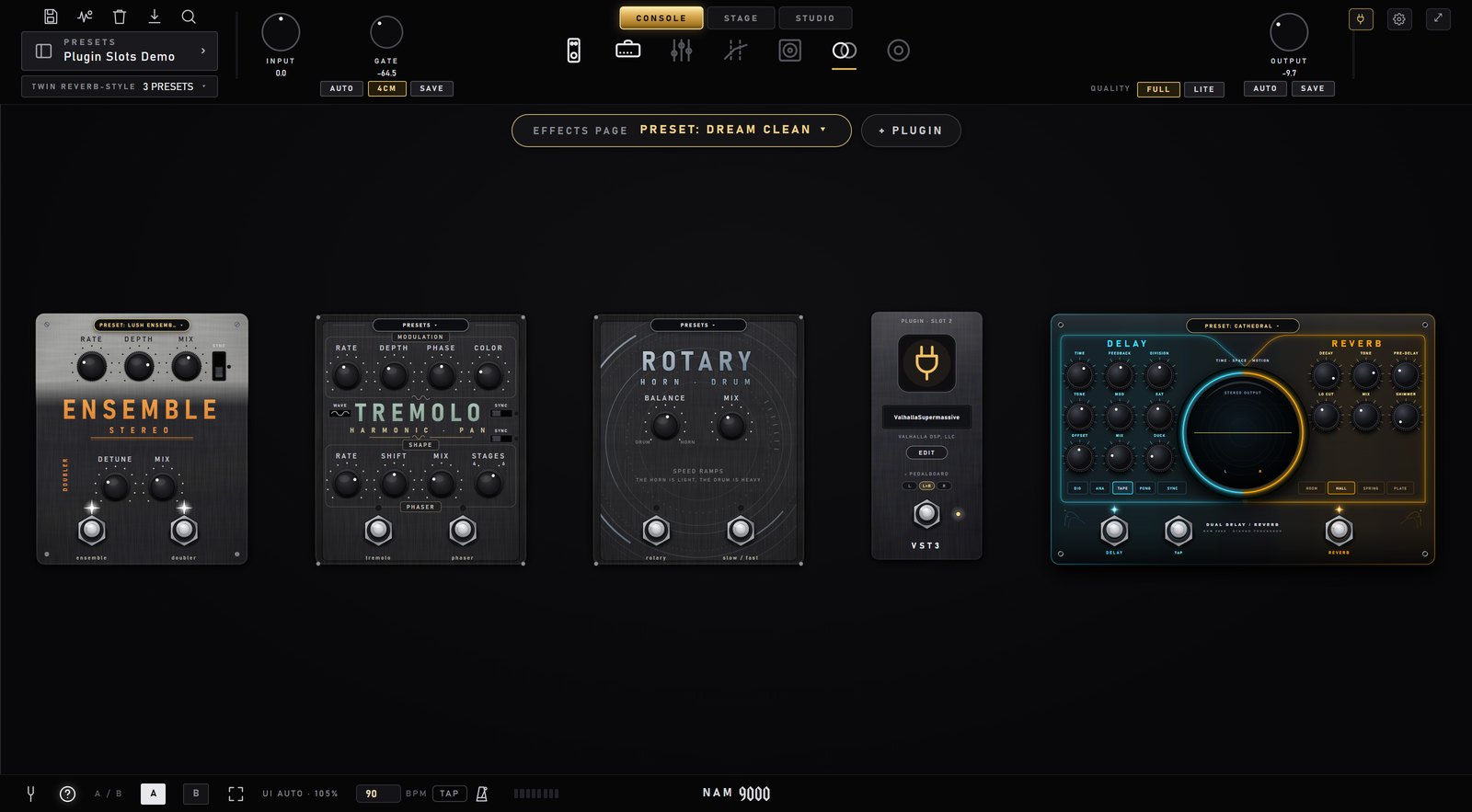
On the effects page, the same thing is the + PLUGIN button at the top, next to EFFECTS PAGE PRESET.
3 · Place it
A plugin pedal lives on one of the two pages, and you drag it to the spot in the chain where it makes sense.
Drag it between your stomps, exactly like a NAM pedal. The ‹ › arrows and ✕ on hover work too, and so does the Delete key. It runs right where it stands: a compressor plugin first in the chain, a drive plugin before your NAM capture, whatever you like.

Drag it between the effect plates. There are five places it can sit, and the chain runs left to right:

The link on the pedal moves it to the other page: FX PAGE › on the pedalboard, ‹ PEDALBOARD on the effects page.
Tip: right-click the DELAY / REVERB plate and choose HIDE PEDAL if you'd rather use your own delay or reverb. It folds into a badge at the top, and a click on the badge brings it back. Hiding only hides it: switch it off too if you don't want to hear it.
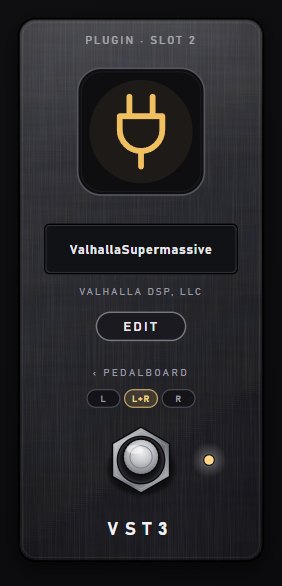
4 · The plugin pedal

If a preset uses a plugin you don't have, its pedal shows MISSING in orange with a FIX… button that opens the panel, where you can load something else or remove it.
5 · L · L+R · R
| On the effects page | On the pedalboard | |
|---|---|---|
| L+R | Both channels: a normal stereo insert. This is the default. | Both lanes, as one stereo plugin: the left lane into its left input, the right lane into its right. |
| L | The left channel only. The right channel passes untouched. | Lane L only. |
| R | The right channel only. The left channel passes untouched. | Lane R only. |
On the effects page this is handy with two amps panned left and right: put a plugin on one amp's side only. On the pedalboard it only matters with stereo input in a DAW, where the two inputs run as two lanes into two amps. The standalone takes one mono input, so there the buttons are hidden and every plugin on the board simply runs. With two boards (L/R), the lane also decides which board shows the pedal.
6 · STAGE & STUDIO
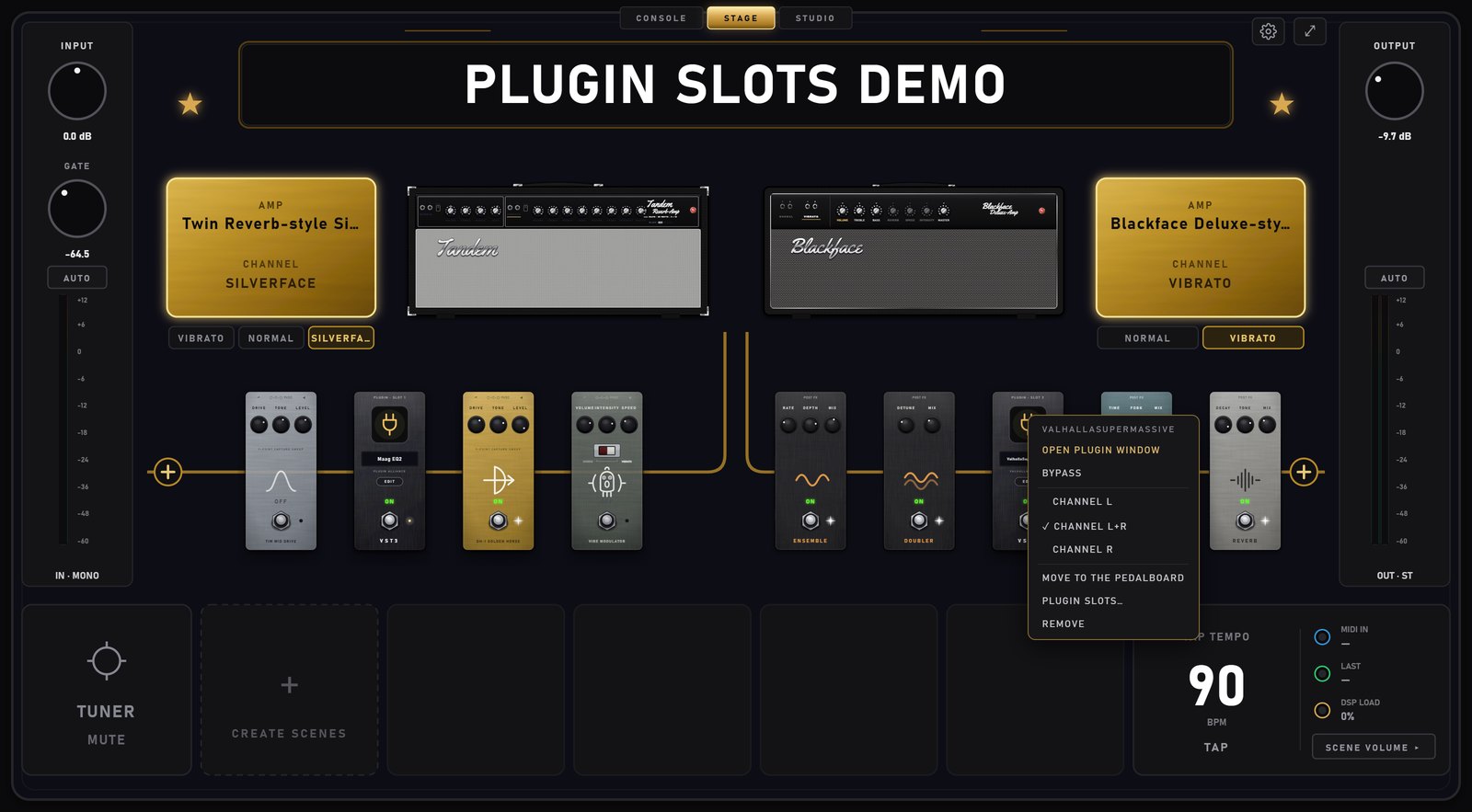
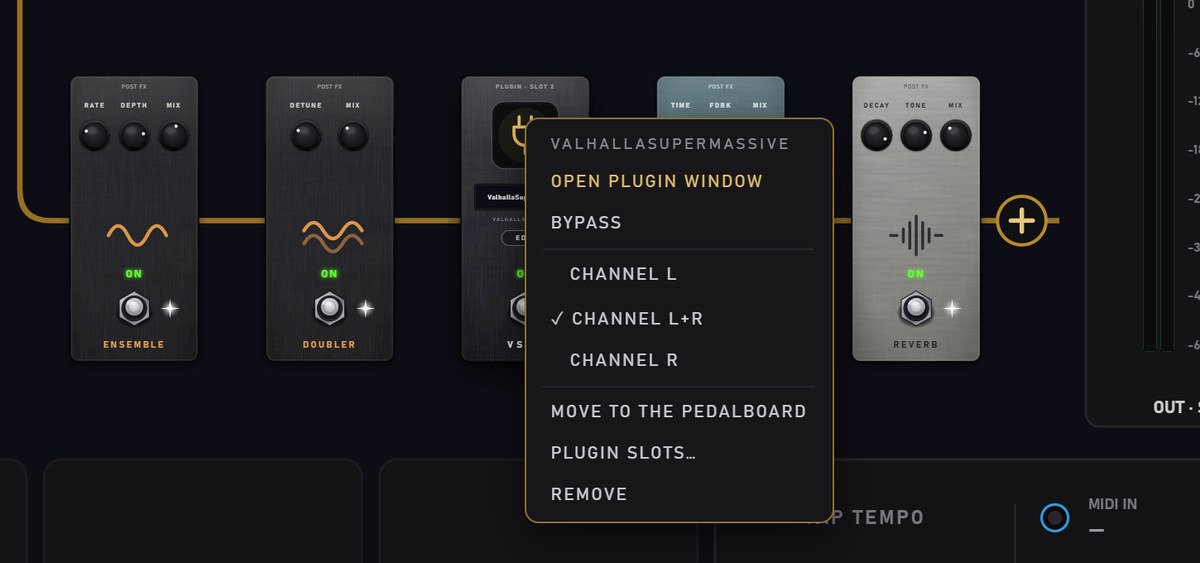
On STAGE, plugin pedals stand in the chain with everything else. Tap one to turn it on or off; right-click it for its menu: open its window, bypass, the L / L+R / R side, move it to the other page, or remove it.


In STUDIO, each plugin is a tile in the chain, labelled PLUGIN. The ⏻ corner turns it on and off, right-click gives the same menu, and selecting it shows its pedal next to the amp, with ON, PLUGIN WINDOW, move and REMOVE buttons.

7 · The plugin slots panel
The plug button at the top right opens PLUGIN SLOTS: up to four plugins at a time, and how much each one costs.

CPU: most effects cost next to nothing. Amp-sim plugins are the heavy ones: one can take 5–15% of a 256-sample block on a fast PC. If you hear crackles, look at the peaks here first.
8 · Presets and sessions
9 · Good to know
10 · Report a problem
Write to hello@nam9000.com with [PLUGIN BETA] in the subject. One mail per problem is easiest to sort.
Please include:
%APPDATA%\NAMPlugin\logs. Paste that into the Explorer address bar.~/Library/NAMPlugin/logs. In Finder, use Go › Go to Folder.nam9000-…log. Its name carries the date and the app it came from (NamPlugin for the standalone, or your DAW's name)."It works fine with X" is just as useful, because it tells us which plugins are safe. Every report is read and sorted, and you'll get a short automatic thank-you.